

iThenticate 2.0 Explained: 4 Major Updates You Should Know

iThenticate, the leading similarity-checking platform in academic publishing, has officially launched iThenticate 2.0 — a major upgrade built for modern research integrity workflows.
So, what exactly changed in iThenticate 2.0, and how does it compare to the previous version?
In this guide, we’ll break down the platform’s key updates and explain how they affect real-world manuscript submission and review workflows.
Why Was iThenticate Updated to Version 2.0?
In recent years, academic publishing has evolved far beyond traditional plagiarism screening. Editors and publishers now face more complex research integrity challenges, including AI-assisted writing, duplicate submissions, hidden text manipulation, and large-scale manuscript screening.
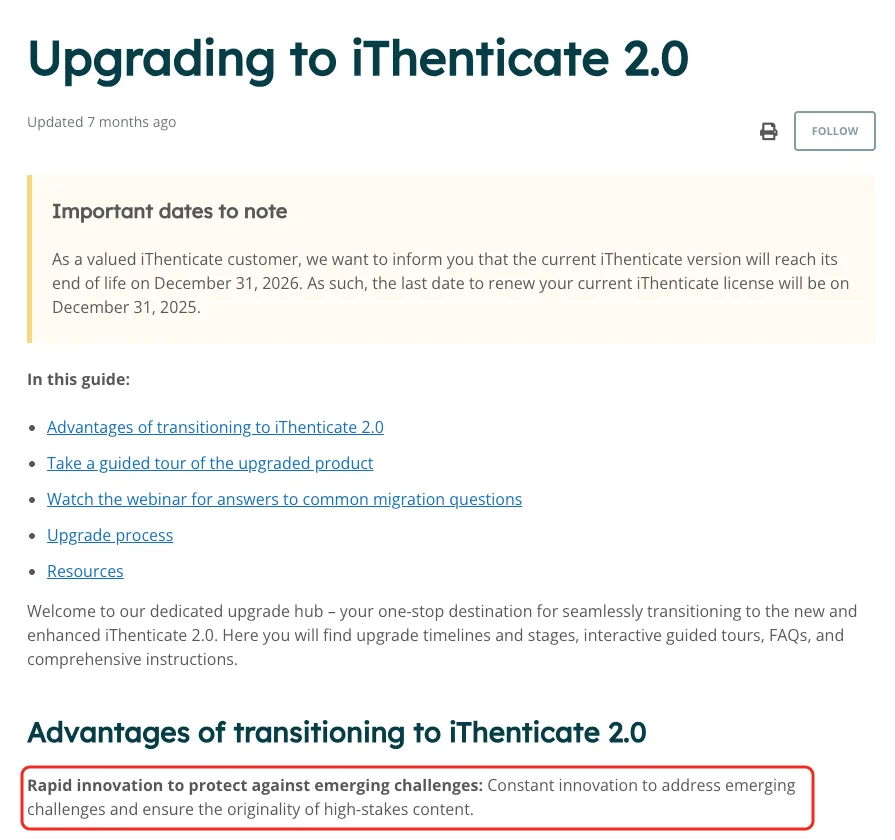
iThenticate explains the purpose of this update as:
“Constant innovation to address emerging challenges and ensure the originality of high-stakes content.”
This reflects a broader shift in scholarly publishing, where originality checking has become part of a larger research integrity workflow rather than a standalone plagiarism review process.
What Are the New Features in iThenticate 2.0?
To support these changing editorial and publishing needs, iThenticate 2.0 introduces several major upgrades, including:
AI writing detection
Enhanced similarity checking
Improved collaboration tools
A more modern interface
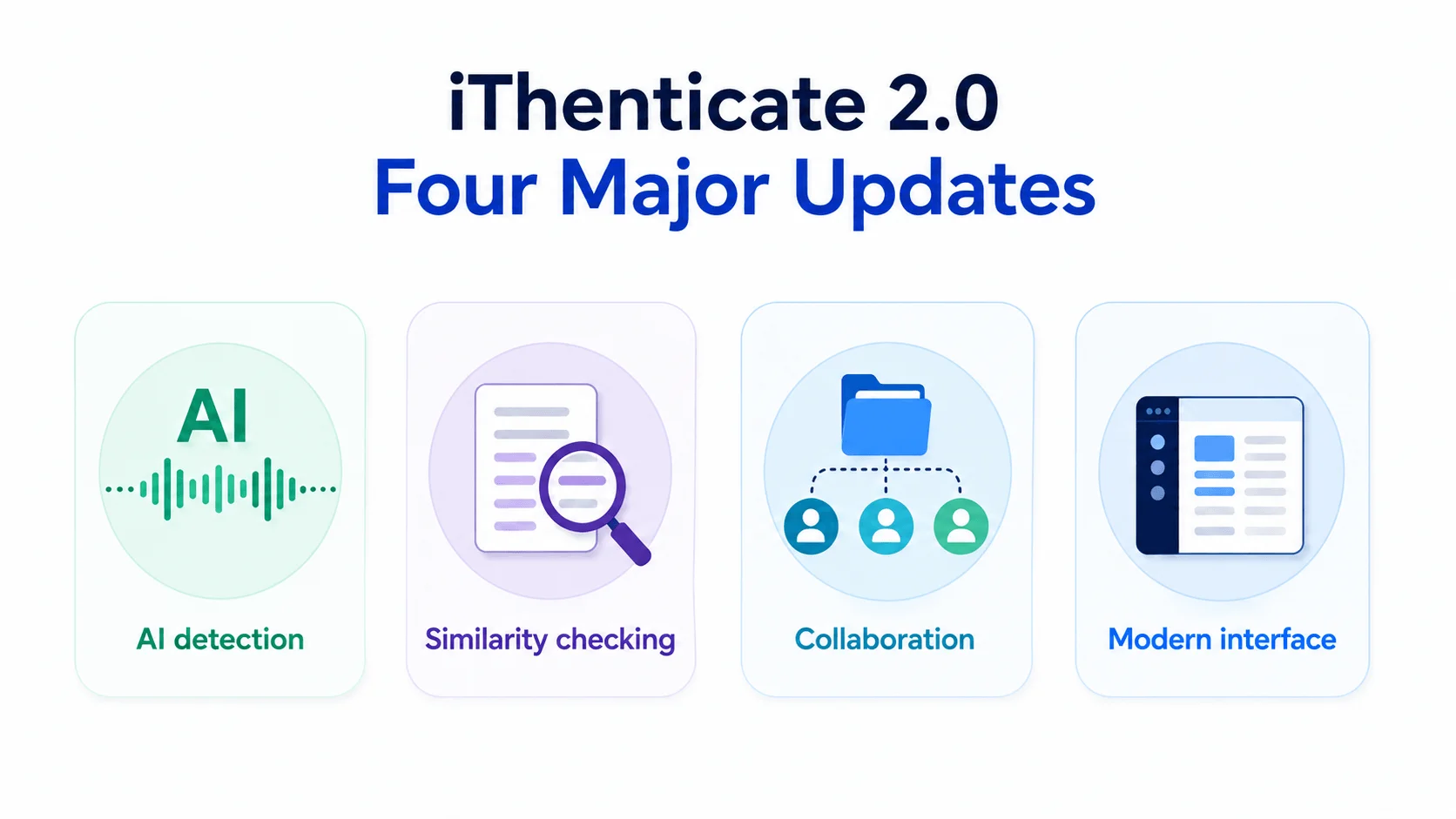
These updates show that iThenticate 2.0 is evolving into a more complete academic integrity platform rather than only a traditional plagiarism checker. Below, we’ll examine each of these new features in more detail.
iThenticate 2.0 New Feature 1: AI Writing Detection
One of the biggest changes in iThenticate 2.0 is the introduction of AI writing detection, a feature designed to help publishers, editors, and research institutions identify content that may have been generated or heavily assisted by AI writing tools.
Why Was iThenticate AI Writing Detection Introduced?
The rapid growth of generative AI tools has significantly changed how academic content is created. Researchers, students, and authors can now use systems capable of producing fluent abstracts, literature reviews, summaries, and even complete manuscripts within seconds.
According to Turnitin:
“Turnitin has released its AI writing detection capabilities to help educators uphold academic integrity while ensuring that students are treated fairly.”
This reflects a broader shift in academic publishing, where originality checks are no longer limited to detecting copied text. Publishers are now increasingly concerned about issues such as:
Undisclosed AI-generated content
Fabricated or inaccurate citations
Automatically generated low-quality manuscripts
Paper mill activity supported by AI tools
Difficulties verifying authentic authorship
As a result, traditional similarity screening alone is no longer sufficient for many journals and publishers. Editorial teams now require additional tools to evaluate whether submissions reflect genuine scholarly work, responsible authorship practices, and transparent use of AI technologies.
How iThenticate 2.0 AI Writing Detection Changes the Publishing Workflow
In iThenticate 1.0, editorial screening primarily focused on similarity matching and plagiarism detection. iThenticate 2.0 expands this process by adding AI-based content analysis alongside traditional similarity reports.
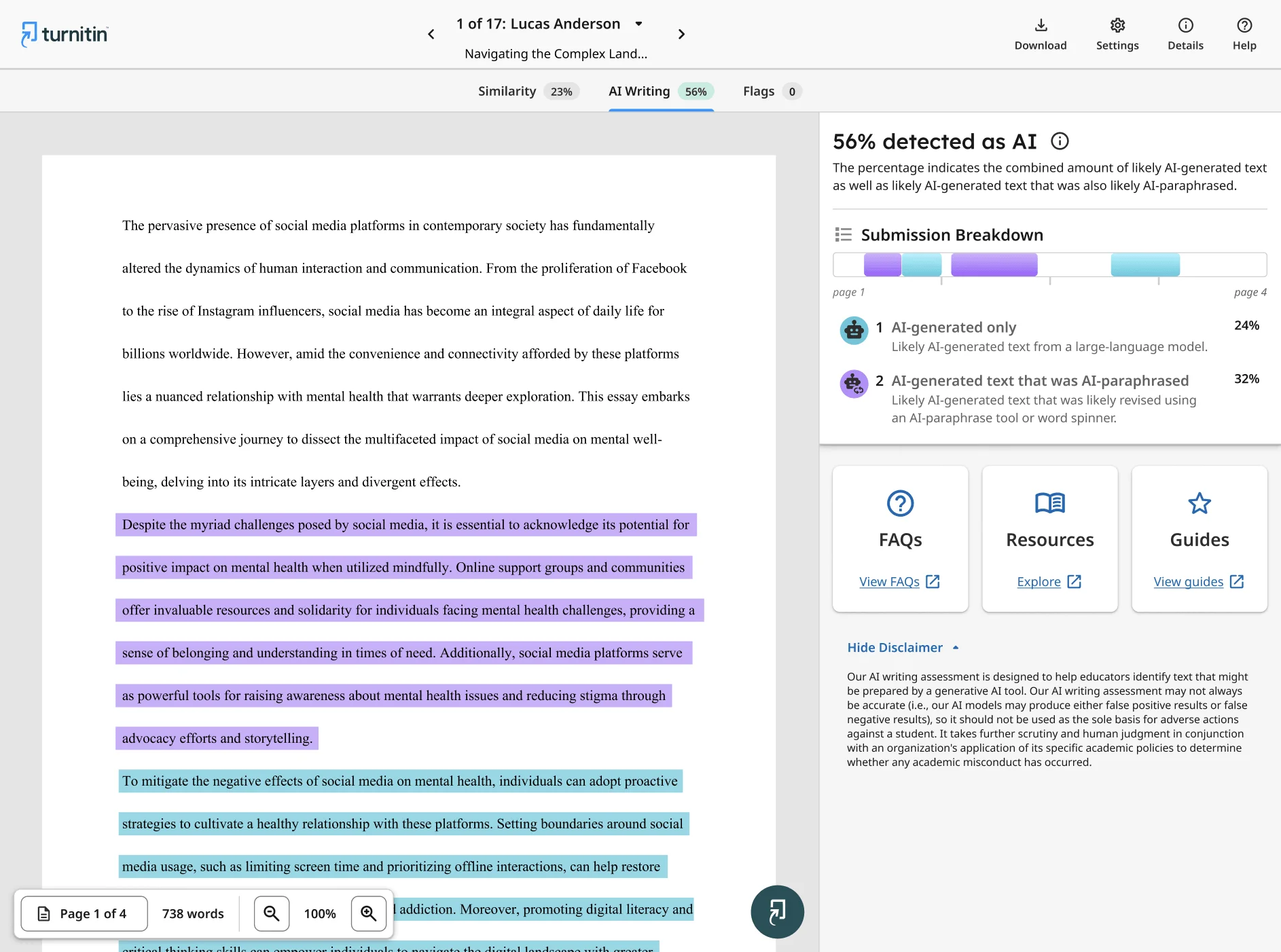
The iThenticate AI writing detection report typically separates flagged content into two categories:
AI-generated only: Text likely written directly by an AI model
AI-generated text that was AI-paraphrased: Content that may have been generated by AI first and later modified using paraphrasing or rewriting tools
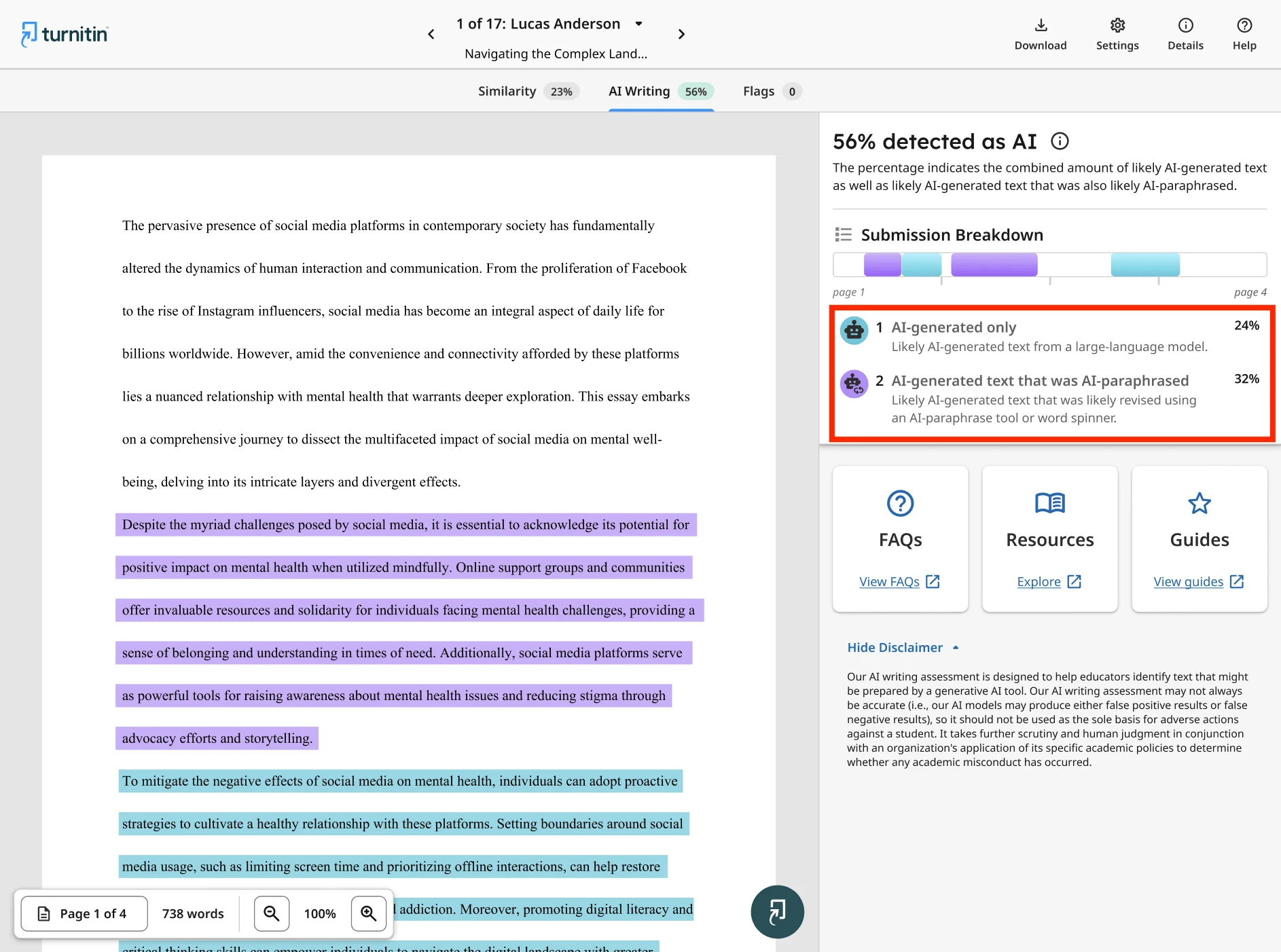
The system also visually highlights flagged sections within the document, helping reviewers quickly identify potentially higher-risk passages. In addition, the sidebar provides a page-by-page breakdown of the submission, allowing editors and integrity teams to investigate specific sections more efficiently.
This changes the role of originality screening from a simple plagiarism check into a broader research integrity review process. Editorial teams can now assess not only whether text matches existing sources, but also whether parts of a manuscript may rely heavily on generative AI systems.
Why This Feature Matters for Academic Publishing
The introduction of AI writing detection signals a major shift in academic publishing toward a more comprehensive integrity review system, moving beyond reliance solely on plagiarism percentages.
For editors and publishers, the goal is not simply to penalize AI use. Instead, the growing focus is on transparency, authorship accountability, disclosure practices, and maintaining trust in scholarly communication.
As AI-assisted writing tools continue to evolve, features like this are likely to become a standard part of editorial screening workflows across journals, publishers, and research institutions.
At the same time, Turnitin emphasizes that AI scores should not be treated as definitive proof of misconduct. Human review and editorial judgment remain essential when interpreting AI detection reports and making publication decisions.
iThenticate 2.0 New Feature 2: Enhanced Similarity Checking
Besides AI writing detection, iThenticate 2.0 also introduces major upgrades to its core similarity checking system, making report analysis faster, cleaner, and more reliable for editorial teams.
Why Was iThenticate Enhanced Similarity Checking Introduced?
As academic publishing volumes continue to grow, editors are spending increasing amounts of time manually reviewing similarity reports. In many cases, high similarity percentages are caused not by plagiarism, but by legitimate academic content such as preprints, references, or standard manuscript sections.
This creates two major problems for publishers and journals:
Editorial teams waste time manually cleaning reports before evaluation
Important integrity concerns can be overlooked among excessive low-risk matches
To improve efficiency and accuracy, iThenticate 2.0 introduces a more intelligent similarity analysis workflow that automatically removes unnecessary noise while also strengthening detection of suspicious text manipulation techniques.
What’s New in iThenticate 2.0 Similarity Checking?
One of the biggest improvements is the ability to automatically exclude content that commonly inflates similarity scores, including:
Preprints
Citations and references
Custom excluded sections
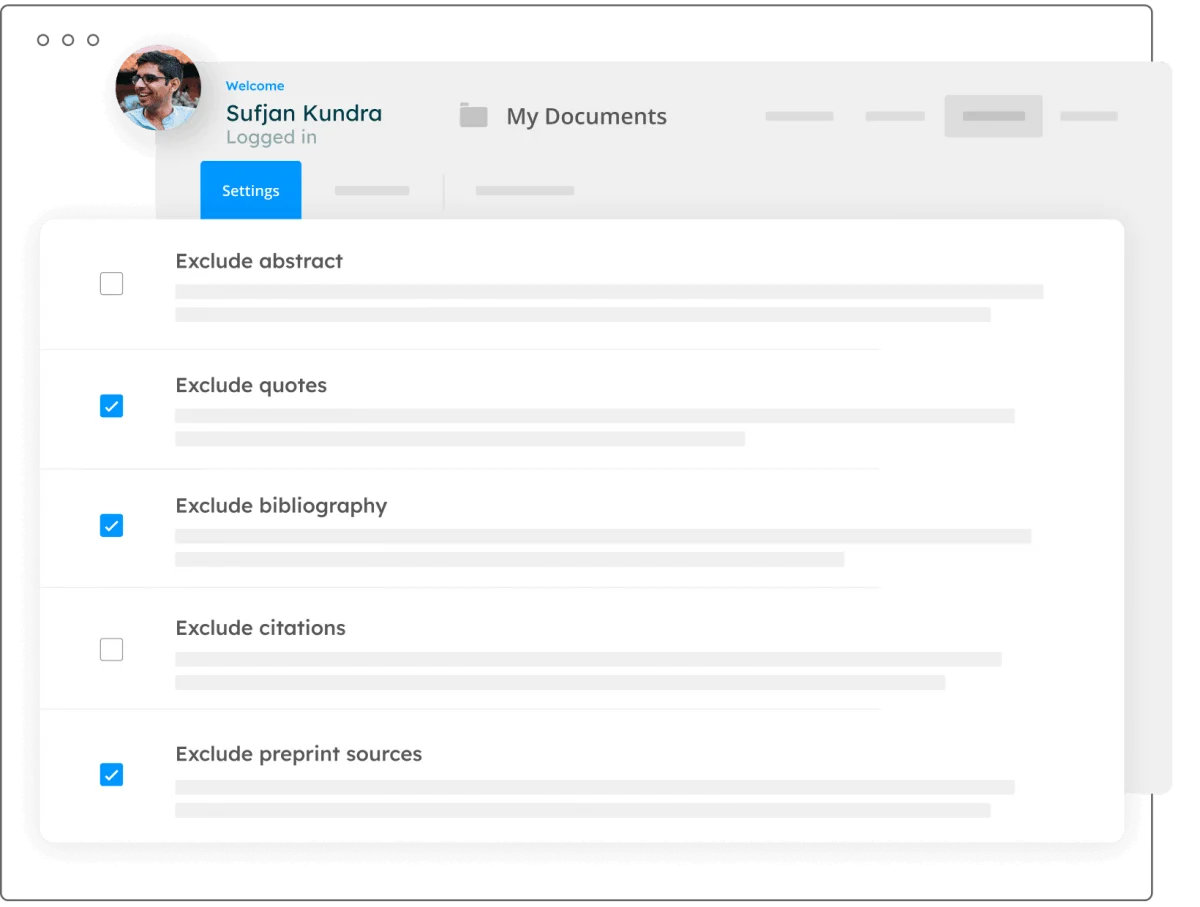
In iThenticate 1.0, many of these exclusions often required manual adjustments during editorial review. The updated workflow helps journals evaluate reports more efficiently by reducing unnecessary matches from the start.
Another major addition is the new Flags Panel, which helps identify suspicious formatting and text manipulation behaviors that may indicate attempts to bypass similarity detection systems.
The Flags Panel can detect issues such as:
Replaced characters
Hidden characters or hidden text
These techniques are sometimes used to disguise copied content while keeping the document visually unchanged to human readers.
iThenticate 1.0 vs iThenticate 2.0
Feature | iThenticate 1.0 | iThenticate 2.0 |
|---|---|---|
Manual exclusion of preprints and citations | Often required | Automatically supported |
Custom section exclusion | Limited workflow efficiency | More streamlined exclusion controls |
Detection of hidden text manipulation | Minimal | Supported through Flags Panel |
Focus of similarity analysis | Primarily matched text reporting | Matched text + integrity risk detection |
Editorial workflow efficiency | More manual review required | Faster and cleaner report evaluation |
How This Changes Real Editorial Workflows
In practical publishing workflows, the biggest difference is improved efficiency and stronger integrity screening.
For example, editors no longer need to spend as much time manually removing preprint matches or filtering citation-heavy reports before evaluating actual overlap concerns. Similarity reports become cleaner and easier to interpret at the beginning of the review process.
At the same time, suspicious formatting tricks that may have passed through older systems can now trigger automated warning flags, helping editorial teams identify potentially deceptive submissions earlier in the screening stage.
For researchers and authors, this generally means more accurate similarity reports, but also stricter integrity review standards during journal submission.
iThenticate 2.0 New Feature 3: Improved Collaboration
Another major upgrade in iThenticate 2.0 is its enhanced collaboration system, designed to support modern editorial, publishing, and research integrity workflows.
Why Was iThenticate Improved Collaboration Introduced?
As academic publishing becomes more complex, originality screening is no longer handled by a single editor working independently. Many publishers and institutions now rely on collaborative review processes involving editorial teams, research integrity specialists, peer review coordinators, compliance staff, and publishing managers.
Under older workflows, similarity reports were often tied to individual user accounts, making collaboration slower and less efficient. Teams frequently needed to manually transfer reports, reassign files, or manage screening activities across disconnected accounts.
To address these limitations, iThenticate 2.0 introduces a more centralized and collaborative workflow system that allows organizations to manage integrity screening across teams more efficiently.
What’s New in iThenticate 2.0 Collaboration Features?
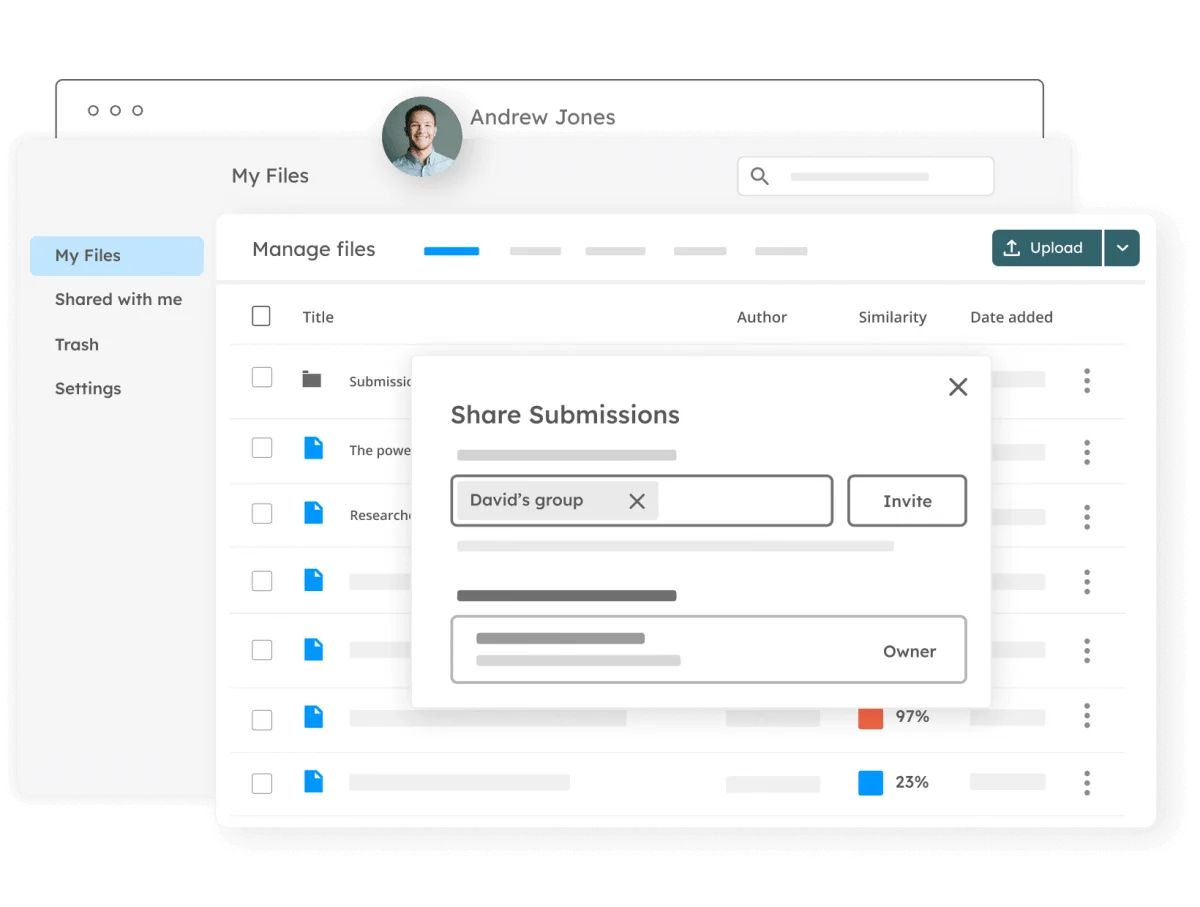
One of the biggest additions is the new User Groups and shared folder system.
iThenticate 2.0 now allows organizations to:
Share folders with users and user groups
Organize submissions across teams and departments
Control access permissions for different reviewers
Manage collaborative screening workflows within the same environment
This makes teamwork significantly easier when reviewing journal manuscripts, grant proposals, admissions essays, and other high-stakes submissions.
Instead of keeping reports isolated under individual accounts, organizations can now build shared workflows where multiple stakeholders participate in the review process simultaneously.
How This Changes Real Editorial Workflows
In real publishing environments, the biggest improvement is workflow coordination and operational efficiency.
For example, journal editors, managing editors, and research integrity teams can now review the same submission workflow without constantly transferring reports between accounts manually. Teams can access shared folders, review flagged reports collaboratively, and manage screening progress within a centralized system.
Large publishers handling thousands of submissions can also organize reports more efficiently by:
Journal title
Editorial department
Submission stage
Integrity review status
Regional publishing teams
This is especially valuable for publishers managing multiple journals or distributed editorial offices across different institutions and countries.
iThenticate 2.0 New Feature 4: Modern and Accessible Design
Besides adding new integrity features, iThenticate 2.0 also introduces a redesigned interface aimed at improving usability for editors, publishers, and research teams.
What’s New in the iThenticate 2.0 Interface?
iThenticate 2.0 provides a more intuitive and streamlined experience across the submission and similarity checking workflow.
The updated platform improves tasks such as:
Uploading submissions
Reviewing similarity reports
Managing folders and shared workflows
Navigating between reports more efficiently
Turnitin also states that the redesigned interface is built to align with newer accessibility and usability standards for modern academic publishing environments.
iThenticate 1.0 vs iThenticate 2.0
Compared with iThenticate 1.0, the newer version features a cleaner and more consistent layout with simplified navigation.
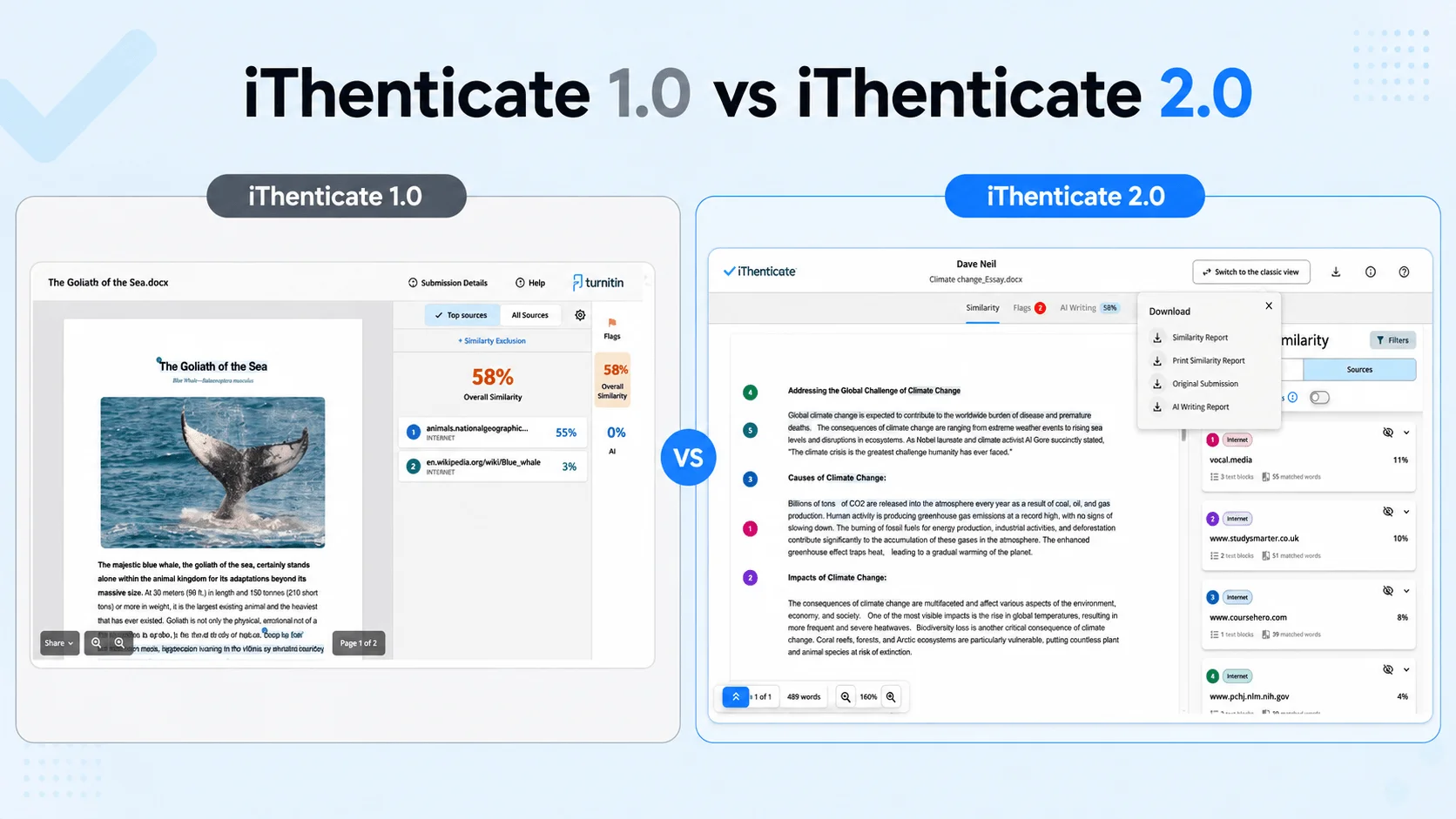
Differences in Real Editorial Workflows
In real publishing workflows, the biggest improvement is navigation efficiency.
For example, editors handling multiple submissions can move between reports and folders more quickly than in the older system. New users may also spend less time learning where important functions are located.
Although the redesign does not directly affect similarity scores or AI detection results, it improves the overall experience of managing large-scale editorial screening workflows.
Final Thoughts
iThenticate 2.0 reflects how academic publishing is moving beyond simple similarity checking toward broader research integrity screening.
Features like AI writing detection and enhanced similarity analysis show how journals are adapting to new writing and submission challenges.
Hopefully, this guide has helped make the changes in iThenticate 2.0 easier to understand.
FAQ
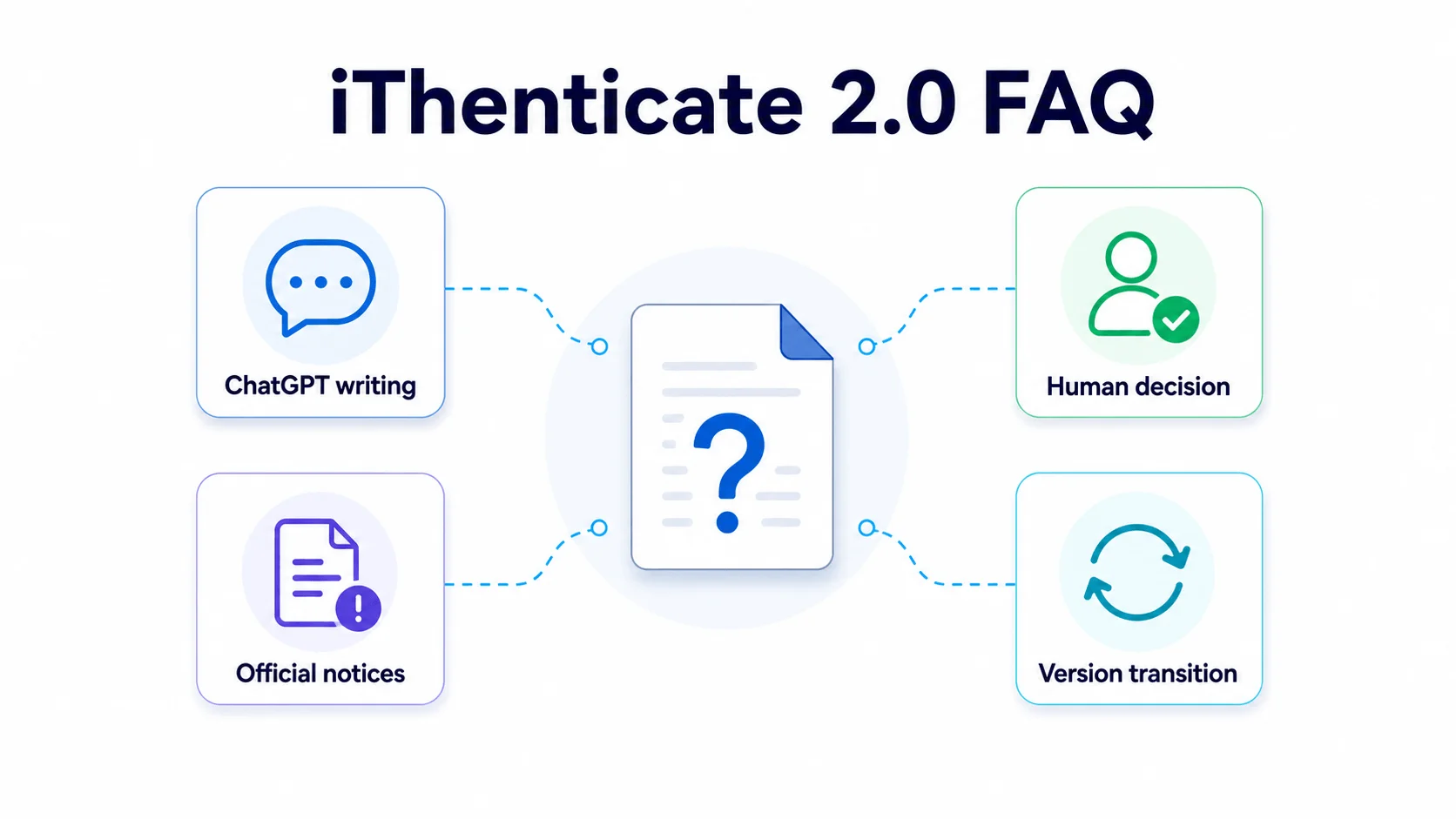
Does iThenticate 2.0 Detect ChatGPT Writing?
Yes. iThenticate 2.0 includes AI writing detection features that can identify text patterns associated with tools like ChatGPT, although the results are not treated as absolute proof.
Does iThenticate 2.0 Automatically Detect Plagiarism?
No. iThenticate 2.0 detects text similarities and generates reports, but plagiarism decisions are still made by human editors and reviewers.
Where Can You Find Official iThenticate 2.0 Update Notices?
Turnitin publishes official release notes for both iThenticate 1.0 and 2.0 on its support site. Crossref users may also receive migration notices through editorial contacts and Similarity Check administrators.
Can You Still Use the Old iThenticate Version?
Turnitin has announced that iThenticate 1.0 is being phased out as organizations transition to iThenticate 2.0.
According to Turnitin’s current transition policy:
iThenticate 1.0 licenses can no longer be renewed after December 31, 2025
iThenticate 1.0 is scheduled to reach end of life on December 31, 2026
Because these timelines may change, users should refer to Turnitin’s official announcements or contact their institution, publisher, or administrator for the latest migration and licensing updates.
Is iThenticate 2.0 Different From Turnitin?
Yes. iThenticate is mainly designed for researchers and publishers, while Turnitin is more commonly used for student assignments and classroom plagiarism checks.