

How Does iThenticate Work in Modern Academic Publishing?

You may know iThenticate is widely used during journal submission, but what actually happens after a manuscript enters editorial screening is often far less clear.
Does the system only check similarity percentages? What do editors really see in the report?
This guide explains how iThenticate works in real academic publishing workflows before peer review even begins.
What iThenticate Actually Does
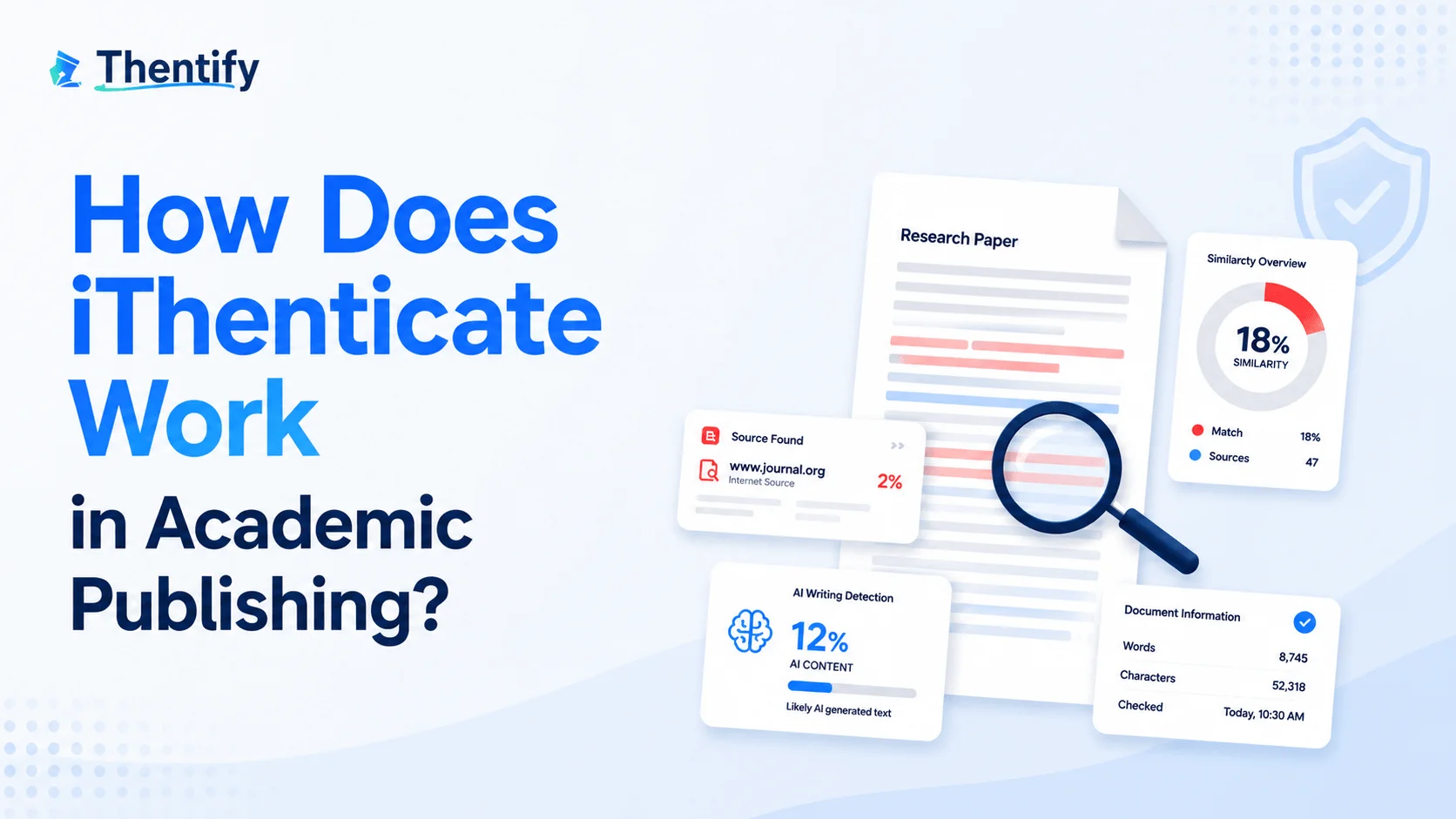
Many people assume iThenticate works like an automatic plagiarism detector that simply labels a manuscript as “safe” or “unsafe.” In academic publishing, the system works more as a similarity screening tool used during journal submission and editorial review.
Similarity Detection, Not Automatic Plagiarism Judgment
iThenticate scans a manuscript and compares its text against a massive academic database to identify overlapping language. This overlap is called “similarity,” which means parts of the submission match existing published or online content.
A similarity match does not automatically mean plagiarism.
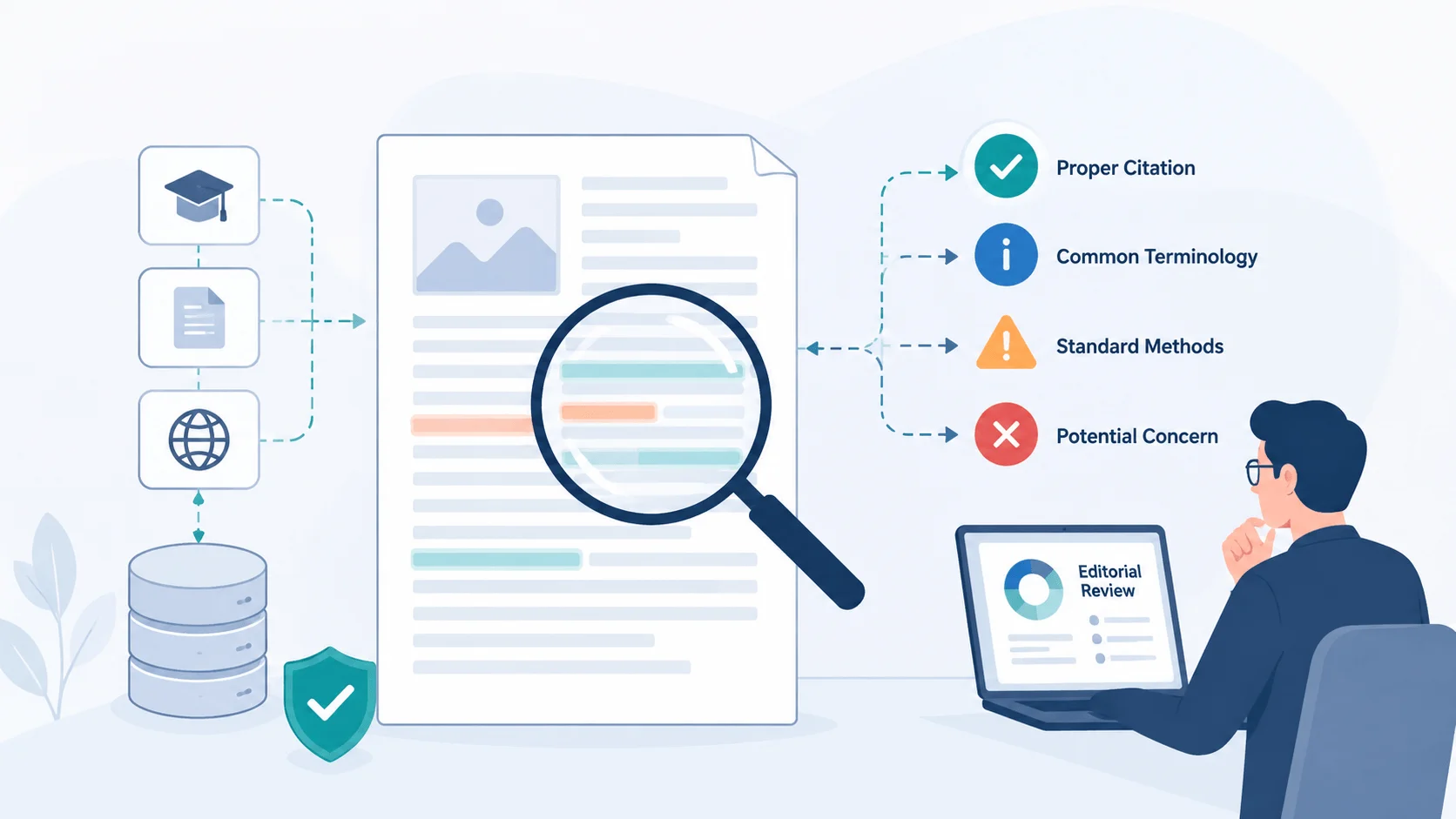
For example, properly cited references, technical terminology, standard methodology descriptions, or reused institutional wording can still appear inside a report. At the same time, a paper with a relatively low similarity score may still raise concerns if important sections appear heavily rewritten from another source.
That is why journals do not rely on percentages alone. Editors still interpret the context behind the matches manually.
What Sources iThenticate Checks Against
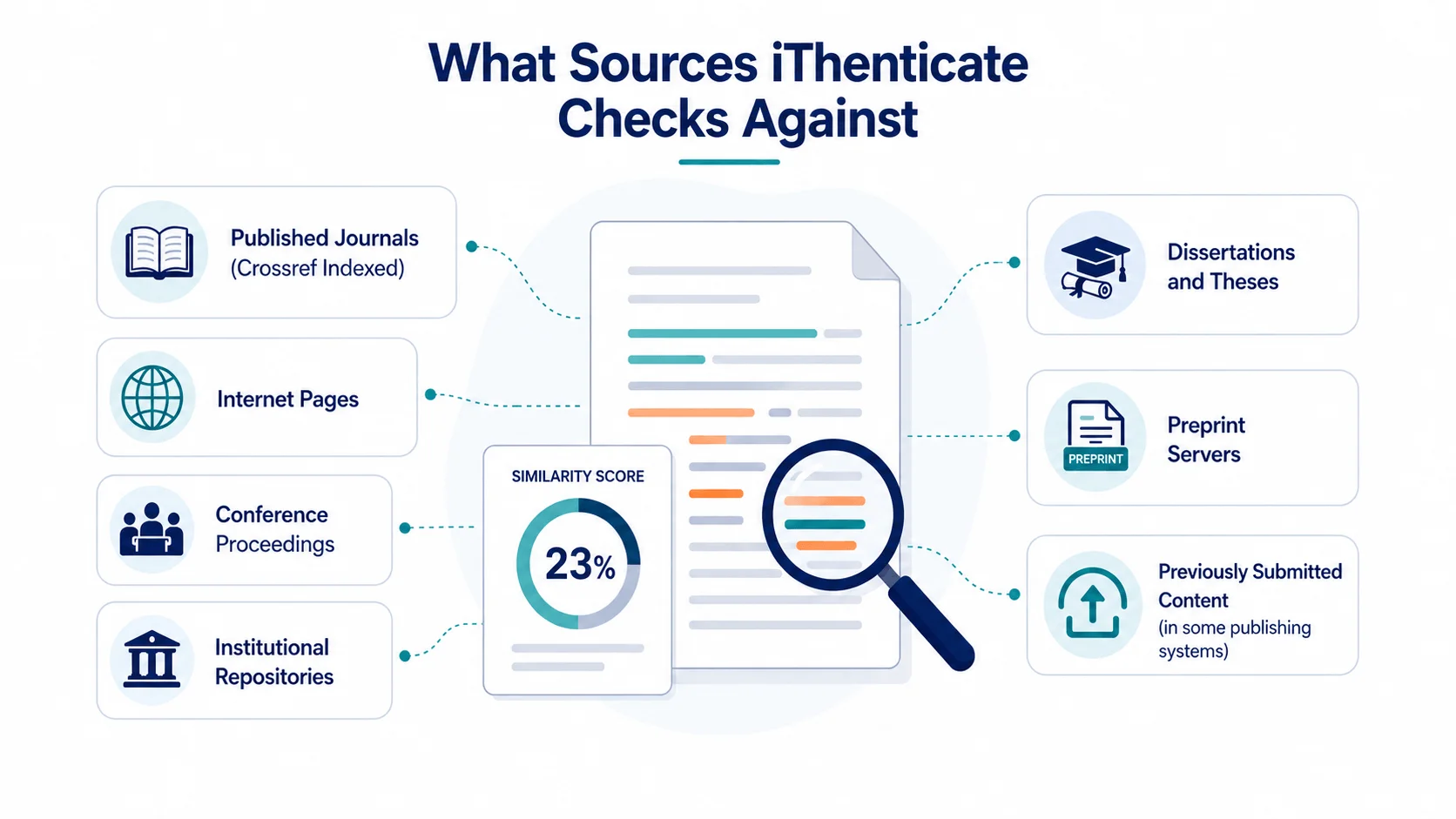
iThenticate compares submissions against multiple academic and online databases, including:
published journals indexed through Crossref
internet pages
conference proceedings
institutional repositories
dissertations and theses
preprint servers
previously submitted content in some publishing systems
This often means older conference papers, repository uploads, or preprints may still appear inside a similarity report even when the content belongs to the same author.
How Does iThenticate AI Detection Work?
Beyond similarity screening, iThenticate now also includes an AI detection workflow. Turnitin officially expanded these capabilities in 2023, allowing supported institutional and publisher accounts to generate AI writing reports alongside traditional similarity checks.
Unlike many public AI detectors, iThenticate uses its own proprietary detection models designed specifically for academic and institutional screening environments. The system analyzes language patterns commonly associated with AI-generated text, including sentence predictability, writing uniformity, and repetitive phrasing.
Today, some academic publishers also consider AI reports as part of the broader editorial screening process.
How Do Individual Researchers Use iThenticate?
iThenticate is also available to individual researchers through its official website. Users can purchase access directly without needing a university or publisher account. However, the service is priced per document rather than through a low-cost subscription model, and a single manuscript check typically costs around $125 USD, which many researchers consider relatively expensive.
Once purchased, individual users can generate standard similarity reports and review matched sources before journal submission. However, AI writing reports are currently not available for personal accounts.
How iThenticate Generates Similarity and AI Writing Reports
Step-by-Step Workflow for Uploading a Manuscript
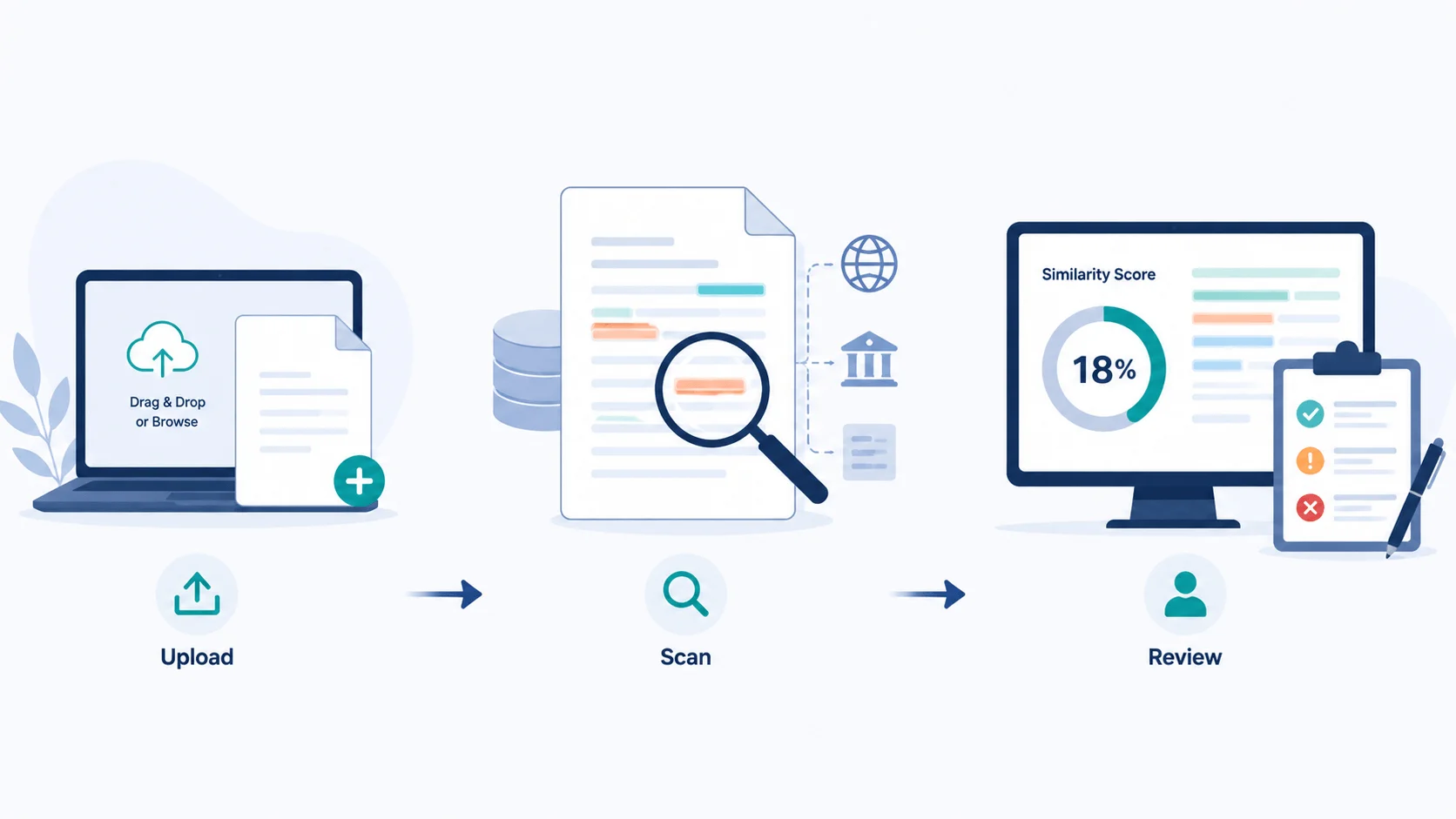
Generating an iThenticate Similarity Report is a straightforward process. Once you upload your document, iThenticate scans it against a massive database of academic papers, journals, websites, and published content to identify matching text and citation overlaps.
Follow these steps to create your report:
Log in to your iThenticate account
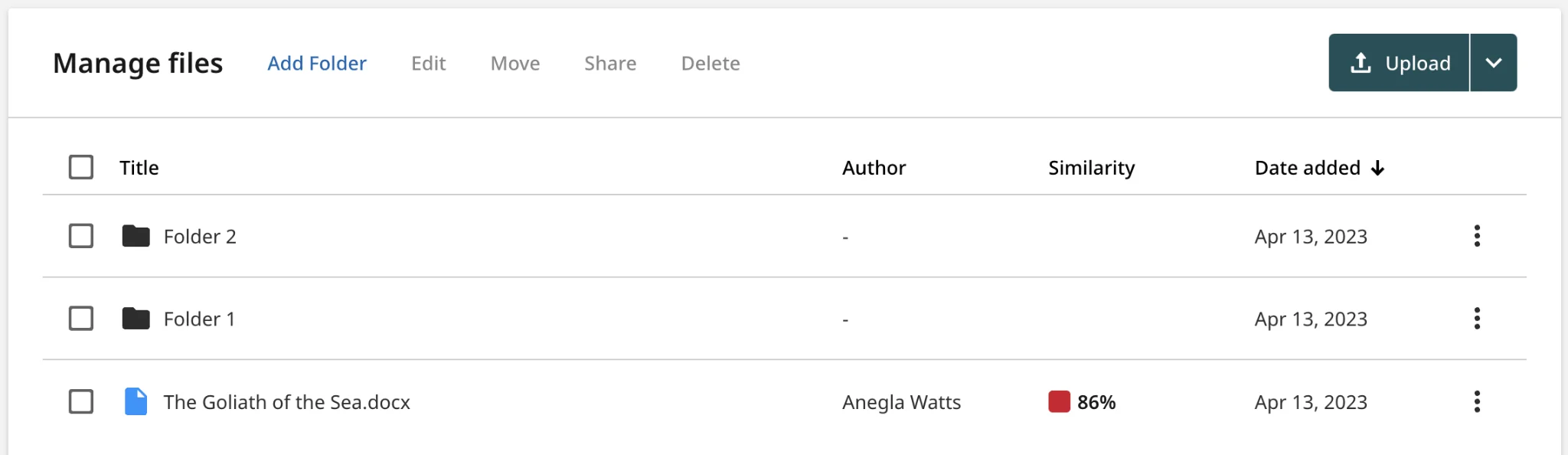
Open iThenticate and go to the My Files dashboard after signing in.
Click the “Upload” button
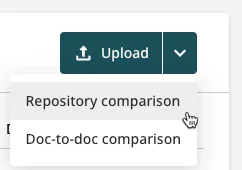
Select Upload to start a new submission. Some accounts may also show a dropdown menu with options like Repository comparison.
Choose your document file
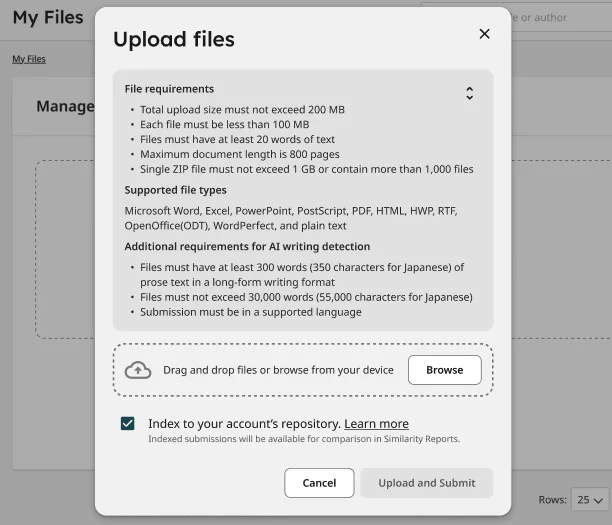
Drag and drop your file into the upload area, or click Browse to select it from your computer.
iThenticate supports common formats including DOC, DOCX, PDF, TXT, RTF, PPTX, XLSX, and ODT.
Add document details
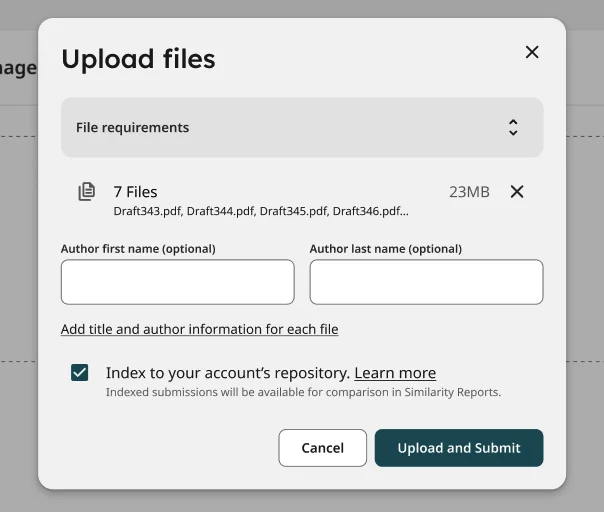
Enter the document title and author information.
The title is usually required, while author fields may be optional depending on your institution’s settings.
Select repository settings (if available)
Some accounts allow you to choose whether the uploaded file should be indexed into a repository database.
If you are checking a draft paper, many users prefer Generate Report Only to avoid permanently storing the document.Click “Upload and Submit”
iThenticate will begin processing your file immediately.Wait for the Similarity Report to generate
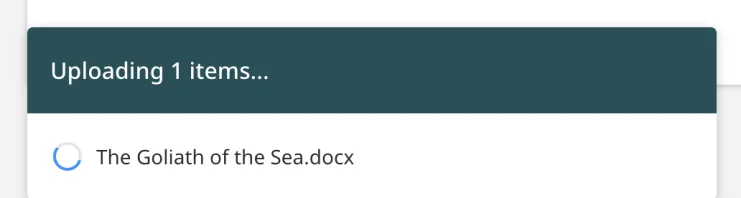
Most reports are completed within a few minutes, although large files may take longer.
Open and review the report
Once processing finishes, click the similarity percentage score to open the report viewer.
The report highlights matched text and shows the original sources side by side for review.
You can also download a PDF version of the Similarity Report for sharing, submission, or revision tracking.
How Does an iThenticate Report Look?
What Appears Inside a Similarity Report
The Similarity Report highlights matched text throughout the manuscript and connects each match to its original source.
The report typically displays:
overall similarity percentage
color-coded matched passages
source-by-source overlap breakdown
direct links to matched sources
filtering tools for quotations and bibliographies
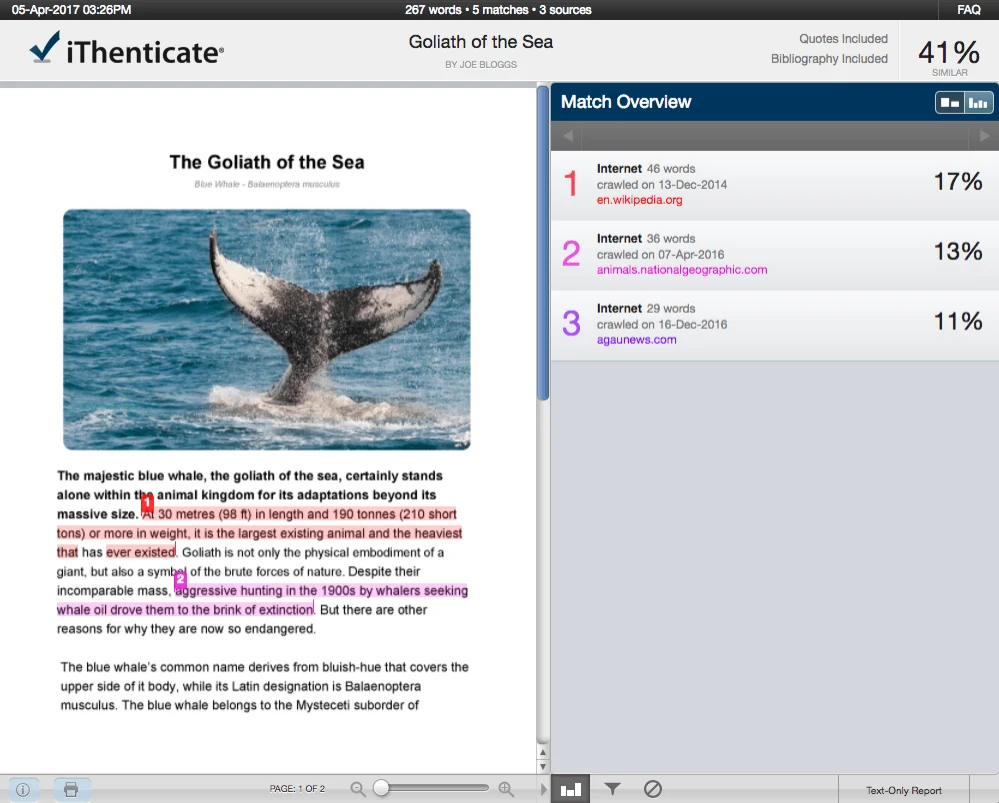
Small text matches, quotations, or reference sections can also be excluded during report filtering. As a result, the displayed similarity percentage may vary depending on the report settings and screening configuration.
How AI Writing Reports Are Displayed
In the newer enhanced Similarity Report interface, AI writing detection is integrated directly into the report experience rather than appearing as a separate tool.
According to official iThenticate documentation, the AI writing report is available through the “AI Writing” section within the report interface. This area displays the estimated percentage of text identified as containing potential AI-generated writing signals.
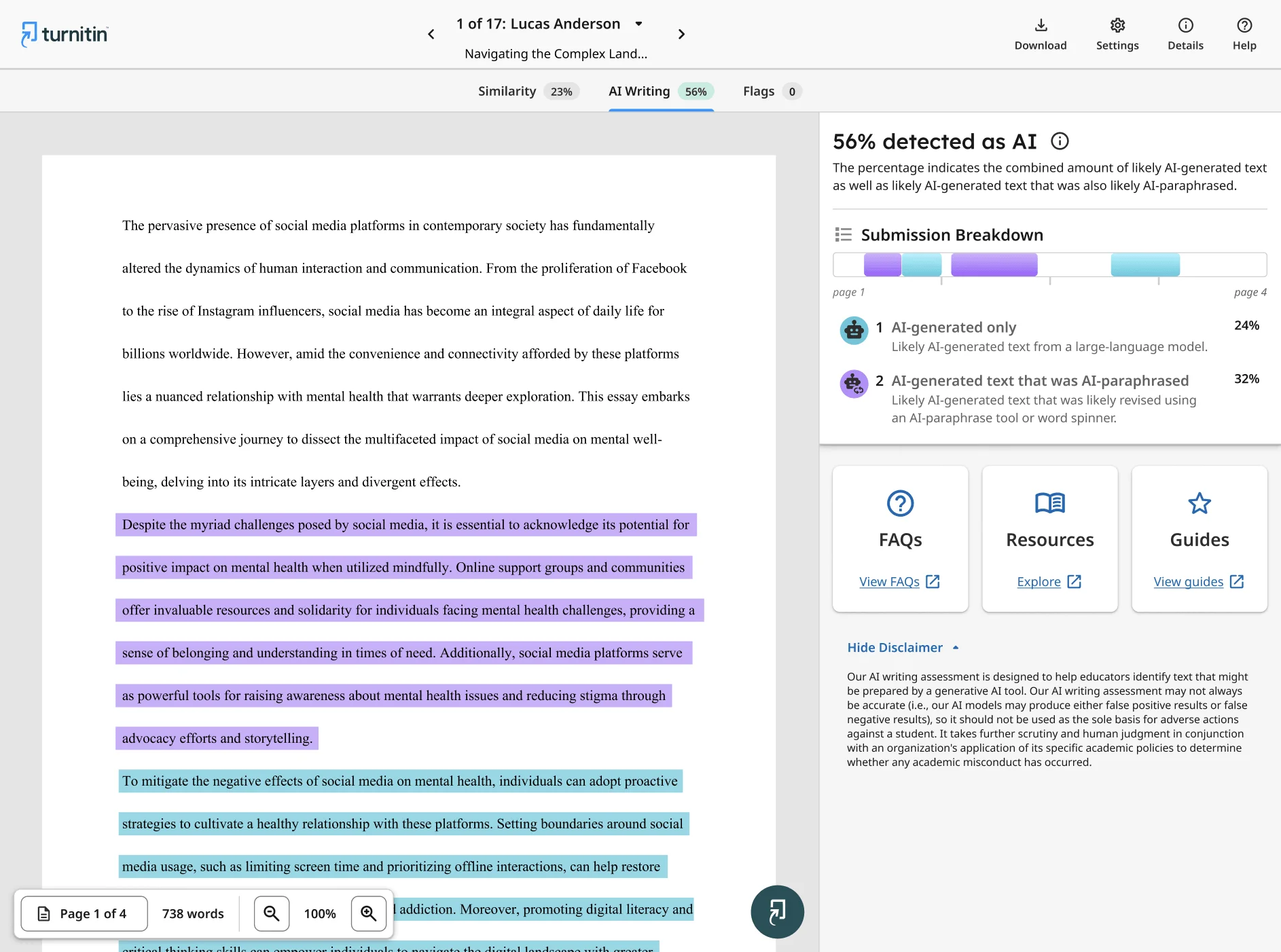
The AI writing report may also highlight:
AI-generated text indicators
sentence-level AI probability estimates
sections requiring additional review
writing patterns associated with generative AI systems
iThenticate vs Turnitin: How They Work Differently
iThenticate and Turnitin are often discussed together because both platforms come from the same company. However, they were developed for different types of academic workflows.
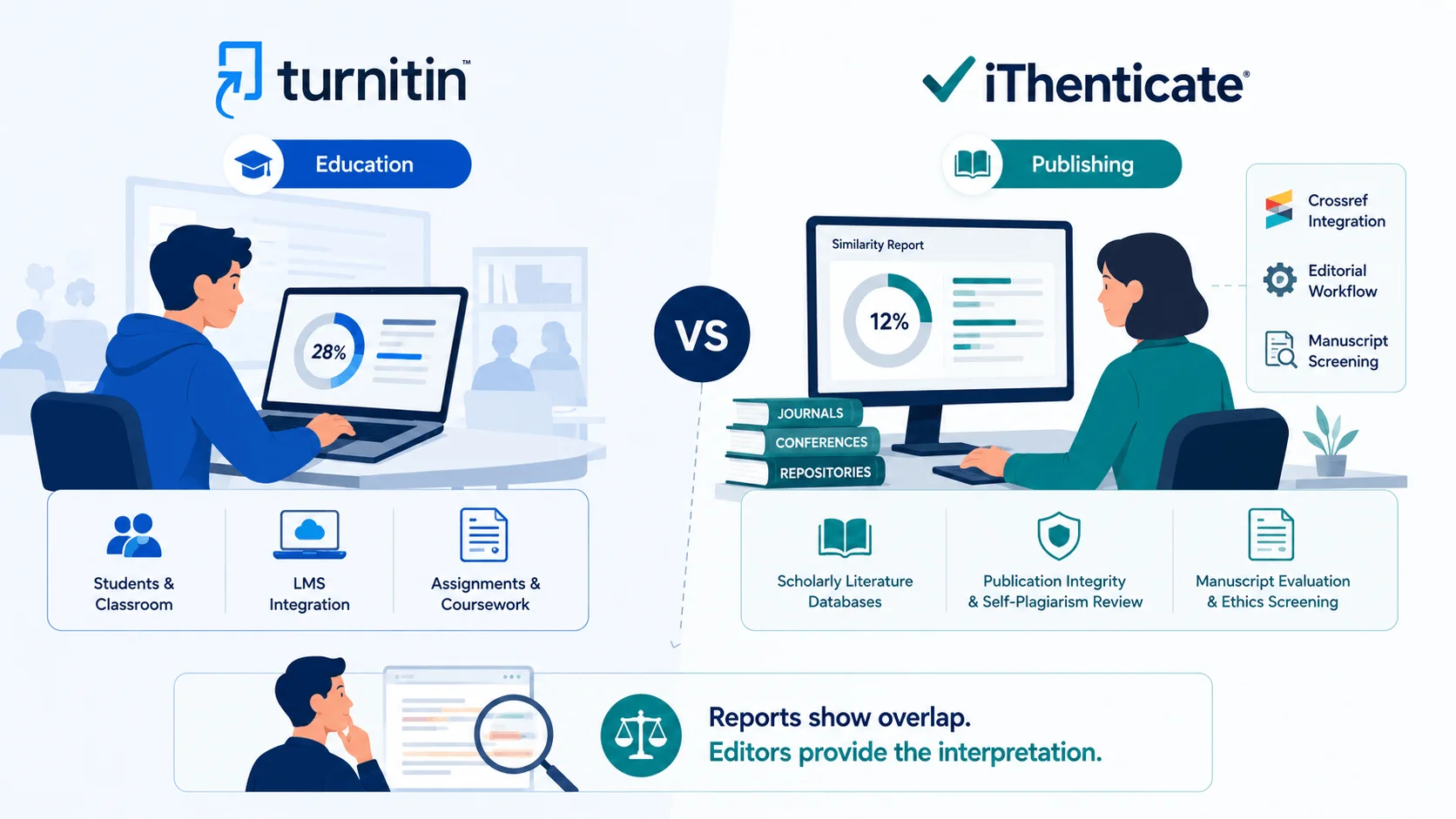
Different Use Cases Between Turnitin and iThenticate
Although both Turnitin and iThenticate can identify overlapping text and generate similarity reports, they are designed for different screening environments. Turnitin is mainly used in educational settings for reviewing student assignments, coursework, and classroom submissions through university learning systems.
iThenticate is built more specifically for scholarly publishing and manuscript evaluation. Its comparison databases focus heavily on academic literature, including Crossref-indexed journals, conference proceedings, research repositories, and professional publications commonly used in editorial review workflows.
Why Journals Prefer iThenticate
Journals typically prefer iThenticate because it fits directly into publishing workflows.
Many manuscript submission systems integrate with Crossref and editorial screening platforms, allowing similarity checks to happen automatically before peer review. This workflow is designed for publisher-scale integrity screening rather than classroom administration.
How Journals Actually Use iThenticate Reports
In academic publishing, the Similarity Report is usually treated as an editorial screening tool rather than a final plagiarism verdict. Most journals review the report before peer review begins, especially during technical and integrity checks.
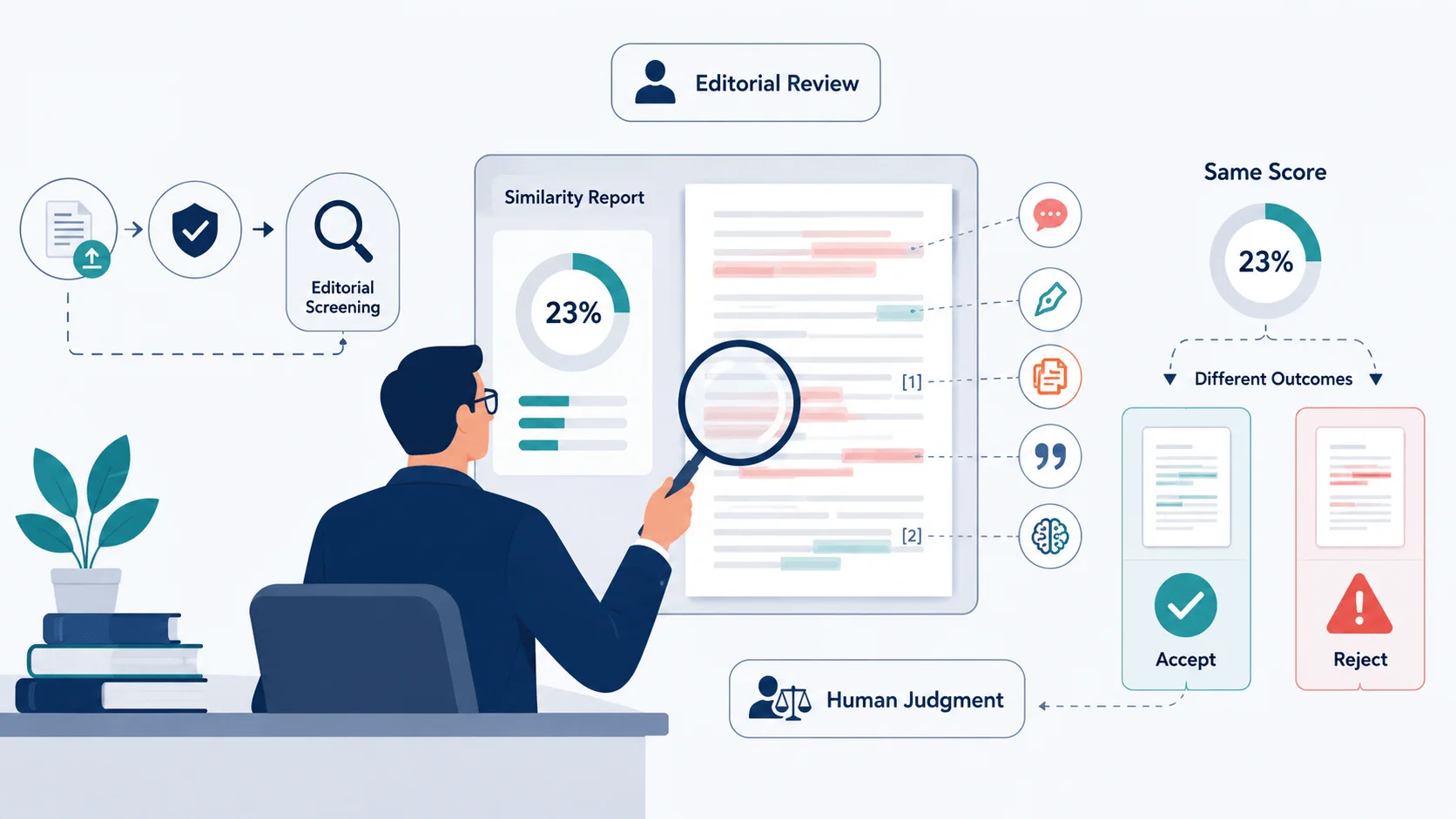
Editorial Screening Before Peer Review
After manuscript submission, many journals perform an initial desk screening before sending the paper to reviewers. This stage often includes formatting checks, authorship verification, scope evaluation, and similarity review through iThenticate.
The purpose is to identify potential publication risks early in the workflow. If serious concerns appear during screening, the manuscript may be returned for revision or rejected before peer review starts.
For editors, this process helps reduce reviewer workload and supports publication integrity standards.
What Editors Usually Look For
Editors rarely focus only on the overall similarity percentage. Instead, they examine where the overlap appears and how the writing patterns look throughout the manuscript.
Common concerns include:
copied discussion or conclusion sections
patchwriting and excessive paraphrasing
self-plagiarism from earlier publications
duplicated methodology descriptions
AI-generated phrasing patterns
inconsistent citation behavior
Journals may also review similarity matches differently depending on where the overlap appears within the manuscript.
Why Interpretation Matters More Than the Score
Similarity percentages alone rarely determine editorial decisions.
Editors may evaluate overlap distribution, citation context, and source attribution differently depending on the manuscript type and journal policy. Because of this, two papers with similar percentages can still receive very different screening outcomes.
Final Thoughts
So, that’s essentially how iThenticate works in academic publishing.
Now that you understand how the system screens manuscripts, generates reports, and supports editorial review, the percentages and AI signals often make much more sense in context rather than appearing as just random numbers.
Hopefully, this guide helps you approach similarity reports with a clearer understanding before your next journal submission.
FAQ

How does iThenticate detect plagiarism?
iThenticate compares manuscript text against academic and online databases to identify overlapping content. Editors then review whether the similarity represents acceptable reuse or potential plagiarism.
Does iThenticate detect AI-generated writing?
Yes. iThenticate includes AI writing detection features that analyze writing patterns for possible AI-assisted content. The feature can be enabled or disabled by account administrators depending on institutional settings.
What is a good iThenticate similarity score?
There is no universal safe score in academic publishing. Most journals evaluate the context behind the overlap, not just the percentage.
Can journals reject a paper because of iThenticate?
Yes, journals can reject papers during editorial screening if the report raises integrity concerns. However, decisions are rarely based on similarity percentage alone.
Is iThenticate more accurate than Turnitin?
The two platforms serve different purposes. iThenticate is designed for academic publishing workflows, while Turnitin focuses more on student submissions.